Preview of the ApplyMog beta site. This is not the service: nothing here signs you in, and the beta is invite-only. Anything marked “not in this preview” works only on the running service.
ApplyMog

Job applications filled from your own profile. Submitted by you.

ApplyMog is a Chrome extension and a workspace for people applying to many jobs. It fills the questions your profile can answer, shows you the rest with a reason, keeps every application in one list and, where the service offers AI, proposes resume wording checked against your own record.

I have an invitationNot in this preview See how it works

Invite-only beta for a small group of people. Already in? Sign in (not in this preview)

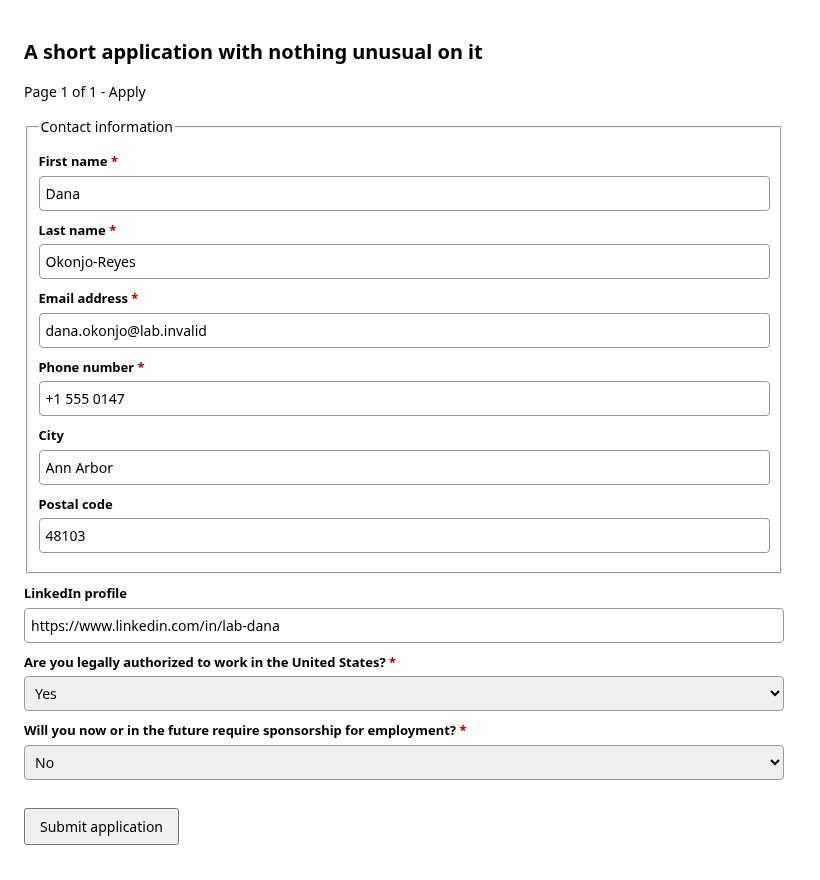
An application form after Autofill: contact details, LinkedIn and work authorisation filled from the profile
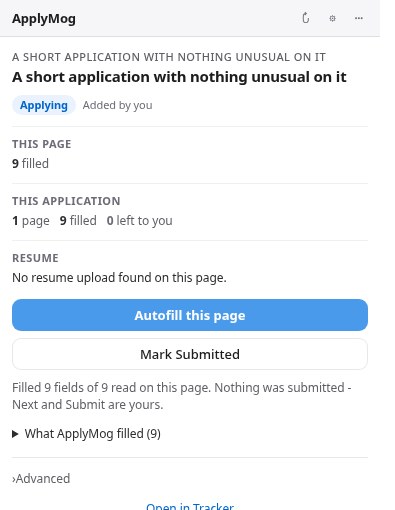
The ApplyMog extension reporting what it filled and what it left

From a posting to your tracker

One application, four moments. These are real ApplyMog screens, filled in for a fictional candidate on ApplyMog's own test form. No employer was involved.

1Save the posting

On a job's page, open the extension and press Save to Jobs. The job lands in your workspace once, however often you press.

  • Or paste a job's link into your tracker.
  • Saved jobs wait under Jobs until you start applying.
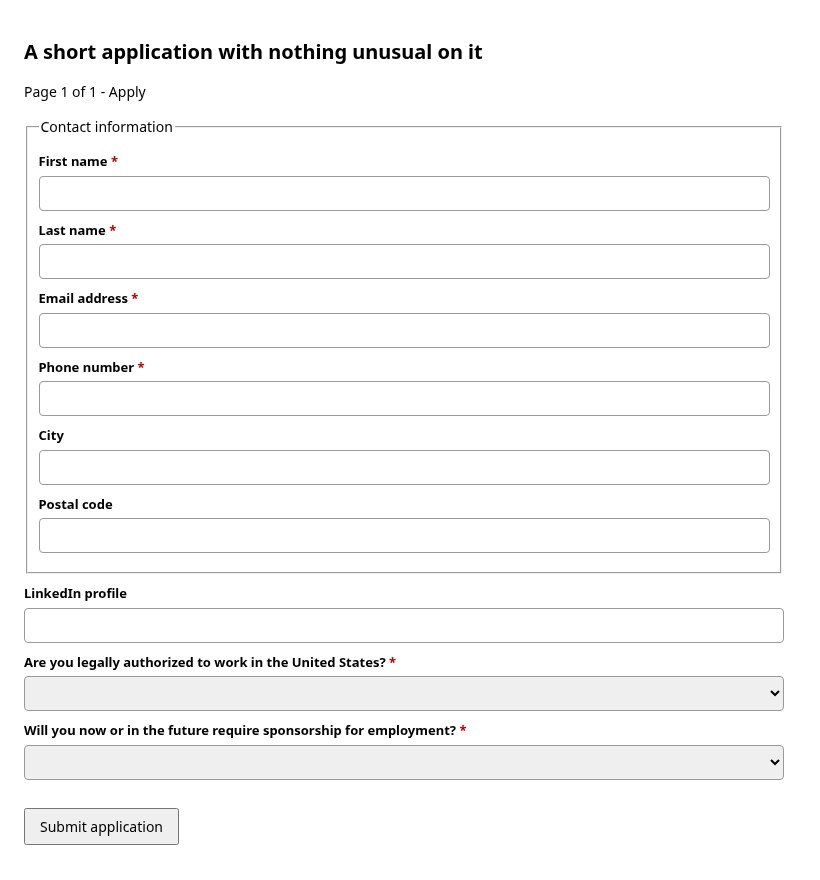
An application form, not yet filled in
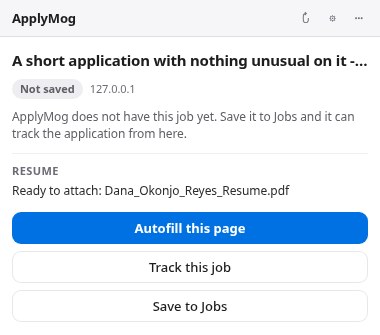
The ApplyMog extension on that form, with Autofill this page, Save to Jobs and Track this job

2Autofill the form

Press Autofill this page. ApplyMog fills what your profile answers and marks every field it left for you, with the reason.

  • It never presses Submit, Next or Apply.
  • Only the one upload that asks for your resume gets your resume.
  • Self-identification, signatures and declarations stay yours.
The same form after Autofill: contact details, LinkedIn and work authorisation filled
The extension reporting what it filled and what it left

3Tailor the resume

Where the service offers AI, ask for a resume tailored to the job. Every proposed change is checked against your own record before you see it.
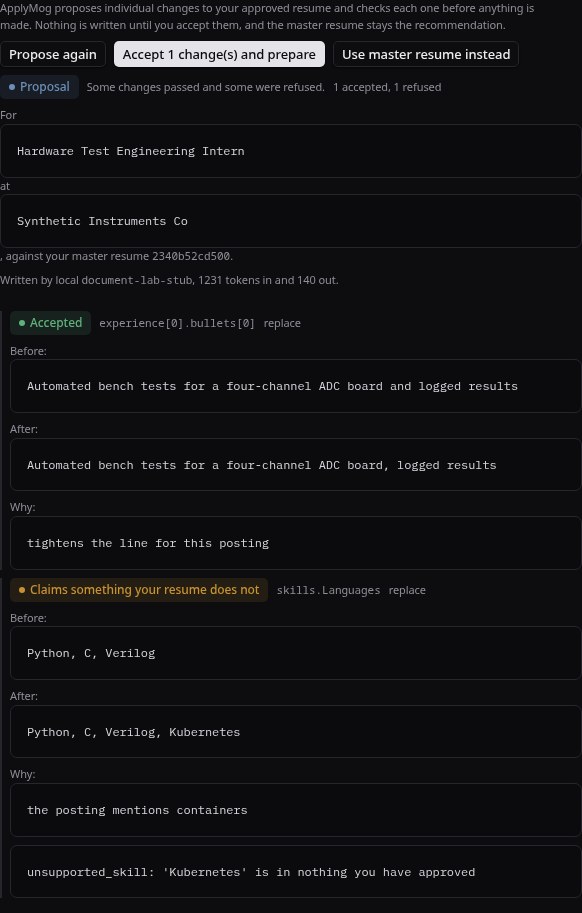
  • A rewording of what you did is accepted.
  • A skill your record does not show is refused, and the reason is shown.
  • You accept the changes and download a one-page PDF.
A tailoring proposal: one reworded bullet accepted, one added skill refused because the record does not support it

4Track the application

An application becomes Applied only when you say you submitted it. Interviews, offers and closed applications stay in one list.
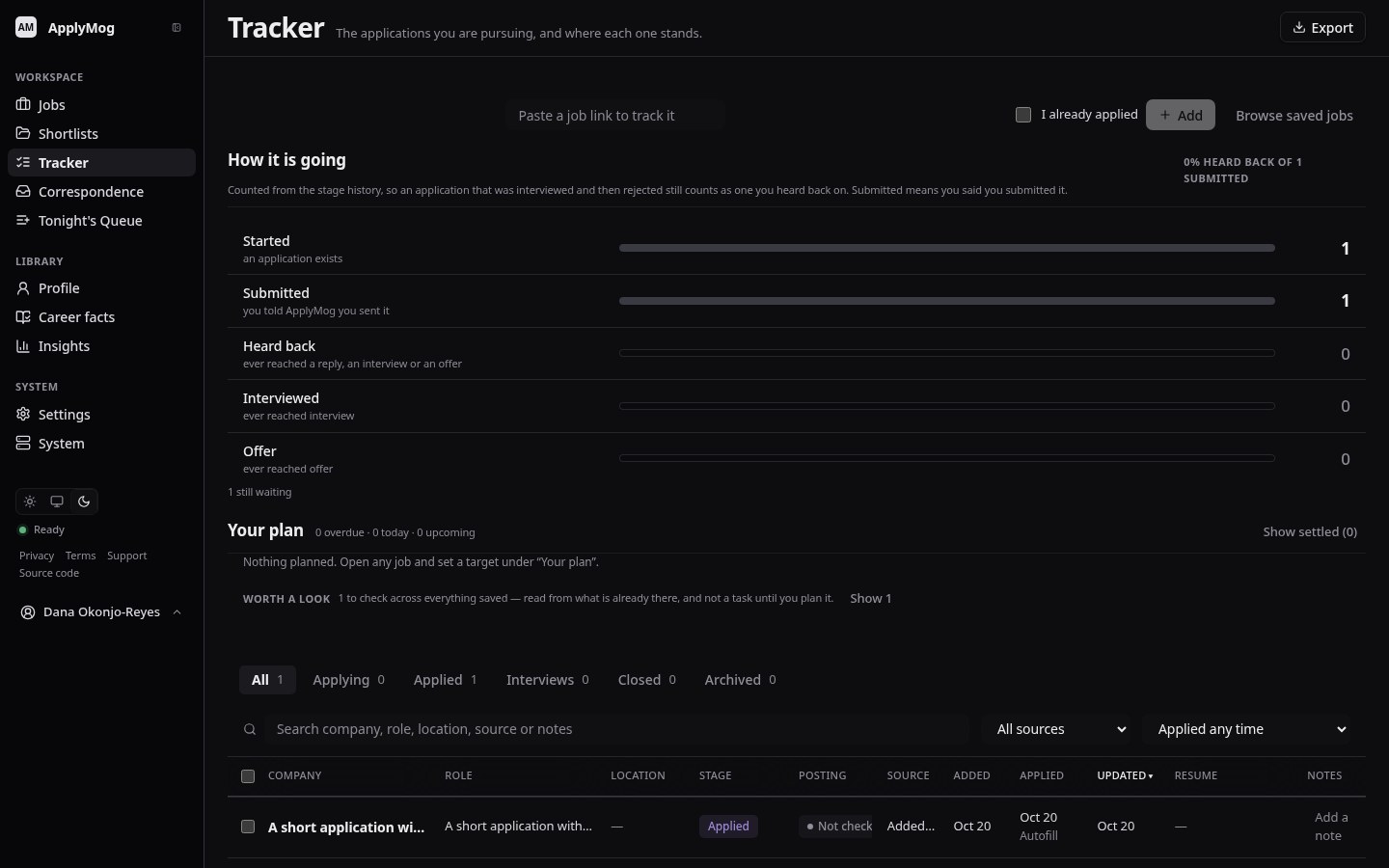
  • Mark Submitted is your statement, recorded once.
  • Marked from the form, what was on it is kept with the job.
The tracker, with the application marked Applied

Every field gets one of three answers

After Autofill, the extension's report sorts the page. A blank you can see is safer than a confident wrong answer on a real application.

Filled

From your profile, word for word. A written answer, only if you allowed AI, is drafted from your record and checked against it.

  • Name, email, phoneAbout you
  • City, postal codeAbout you
  • LinkedIn profileAbout you
  • Authorised to work?Work authorisation
  • Need sponsorship?Work authorisation
  • Resume uploadYour resume PDF

Left for you

Highlighted on the page, with the reason.

  • A question your profile cannot answerNever guessed
  • Gender, race, veteran, disabilityOff unless you share
  • Social Security number, date of birthNever filled
  • Consent to a background checkYour declaration
  • Transcript, photo, portfolio uploadsNot your resume

Never touched

Whatever the page looks like.

  • Submit, Apply, Next, Continue, SaveYou press them
  • Sign-in and account creationYours
  • CAPTCHA and verification codesYours
  • Signatures and certificationsYours

What Autofill fills, and why

Your profile is the only source.

Paste or upload your resume, check the details ApplyMog will use, and that is what fills forms and grounds every tailored line.
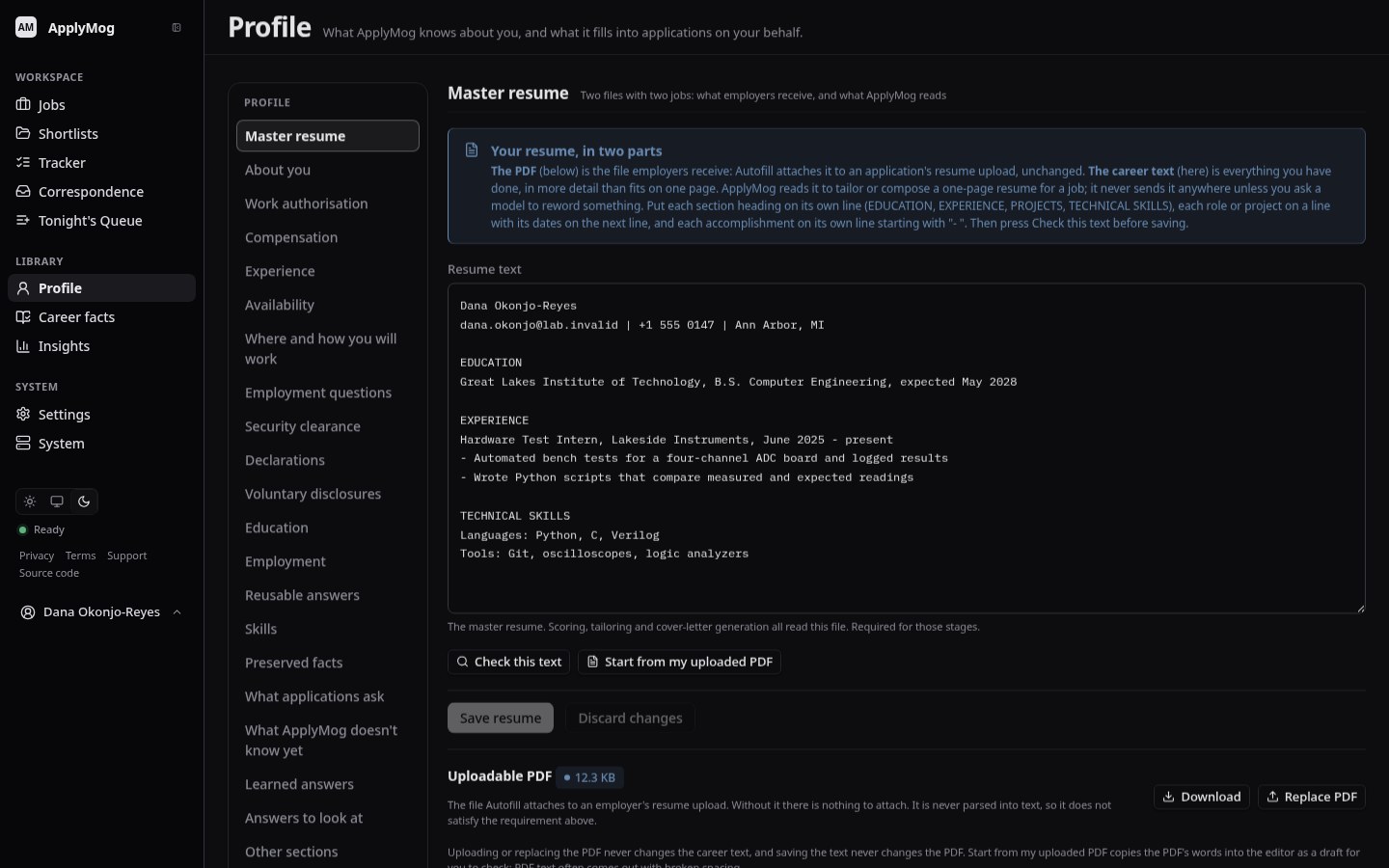
  • Answers come from what you wrote down, never from a guess.
  • Questions you answer by hand can be remembered, when you choose to.
  • The resume Autofill attaches is the PDF you uploaded, unchanged.

How setting up works

The profile page, with the master resume and About you

You stay the one applying.

Other tools offer to submit applications for you. ApplyMog does not, and cannot be set to.

What ApplyMog does

  • Fills the fields your approved profile answers.
  • Attaches your resume where a page asks for exactly one.
  • Shows what it filled and what it left, with reasons.
  • Proposes tailored wording, checked against your record.
  • Keeps the applications you are working on in one place.

What it never does

  • Press Submit, Apply, Next or Continue on an employer's page.
  • Sign in to, or create an account on, an employer's site.
  • Answer a CAPTCHA, a legal declaration or a signature.
  • Mark an application Applied without you saying so.
  • Send email on your behalf.

Your data, your choice of AI.

Tracking and Autofill need no AI at all. Scoring, tailoring, cover letters and drafted answers send your profile and the job's text only to a provider you allow, by name, and only where the person running the service has turned AI on. Until then those features say they are not available.
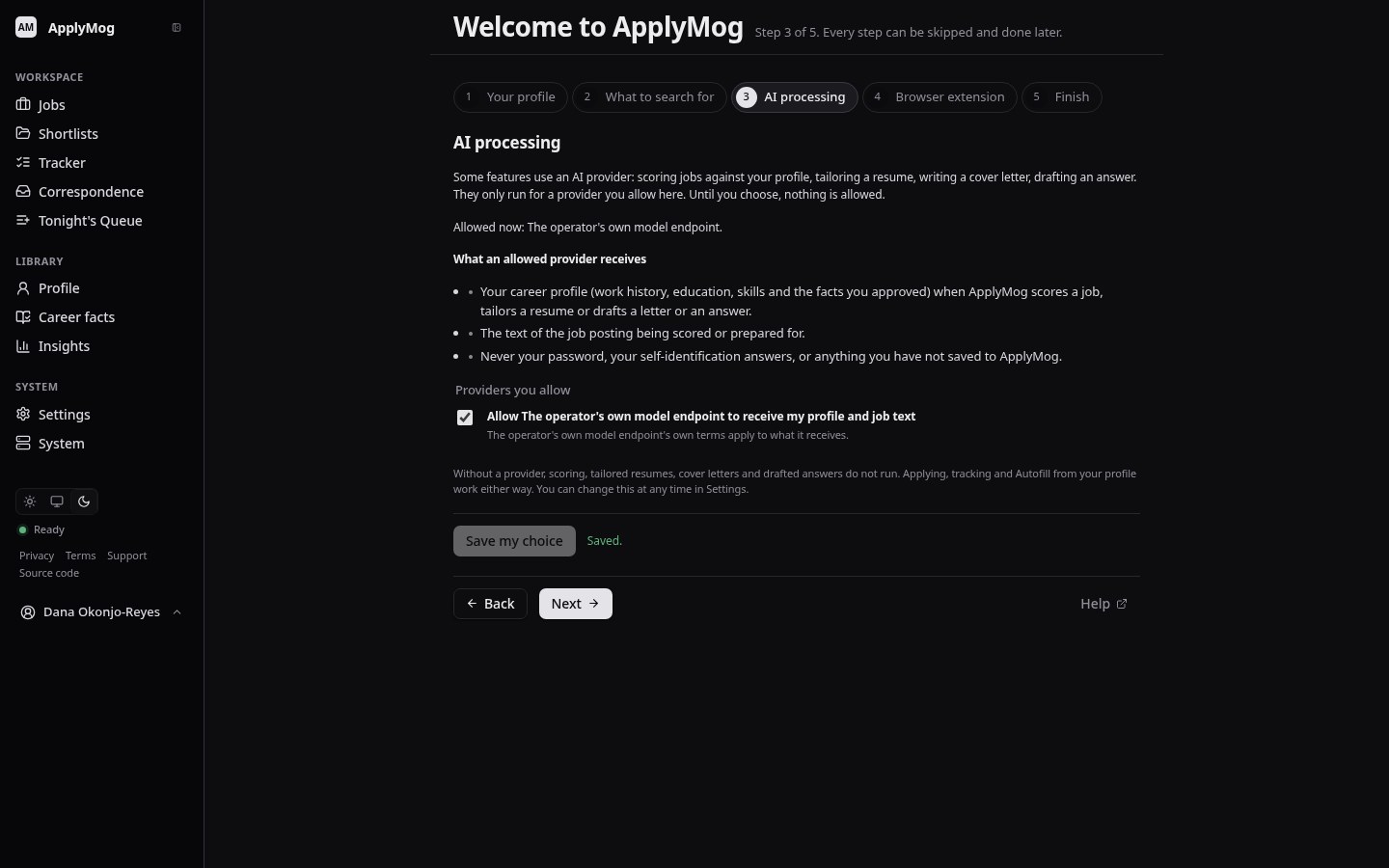
  • Nothing is sent to any AI provider until you choose one.
  • Download your workspace and your account record, any time.
  • Delete your account from your account page.
  • Free software: every user can download the source of the version running.

Read the privacy notice

The AI processing step, where each provider is allowed by name

Questions people ask first

Does ApplyMog submit applications for me?

No. It fills fields and stops. You read the page, finish what it left, and press the employer's Submit yourself. Then you press Mark Submitted, and the tracker records your statement.

Will it make things up on my resume or my forms?

Forms are filled from your profile; a question it has no evidence for is left blank and highlighted. Tailored wording and drafted answers are checked by rules that refuse a name, figure, technology or listed claim your record lacks, and a refused change is shown to you as refused. A rewording those rules do not recognise can still pass, so read every change before you accept it.

Which job sites does it work on?

It reads ordinary application forms and fills what it understands. Compatibility with employer sites is limited and not guaranteed, and most of what has been measured is on reproductions of application forms. When it cannot fill a field it says so, and you fill it.

Which browser do I need?

Google Chrome or Chromium on a computer. The extension is installed from this site, not from the Chrome Web Store, during the beta.

How do I get access?

Through an invitation from the person running this beta. There is no public sign-up.

All questions

ApplyMog is invite-only for now.

A small beta, run by the person who invites you. There is no public sign-up and no waiting list on this site.

You have an invitation

Open the link you were sent. It works once, for your address.

I have an invitationNot in this preview

You have an account

Sign in with the address your invitation was sent to.

Sign inNot in this preview

You would like one

Ask the person running this beta. Invitations are given out by hand.