How ApplyMog works
From your invitation to a submitted application: six steps, every one of them yours to take. The screens below are real, filled in for a fictional candidate.
-
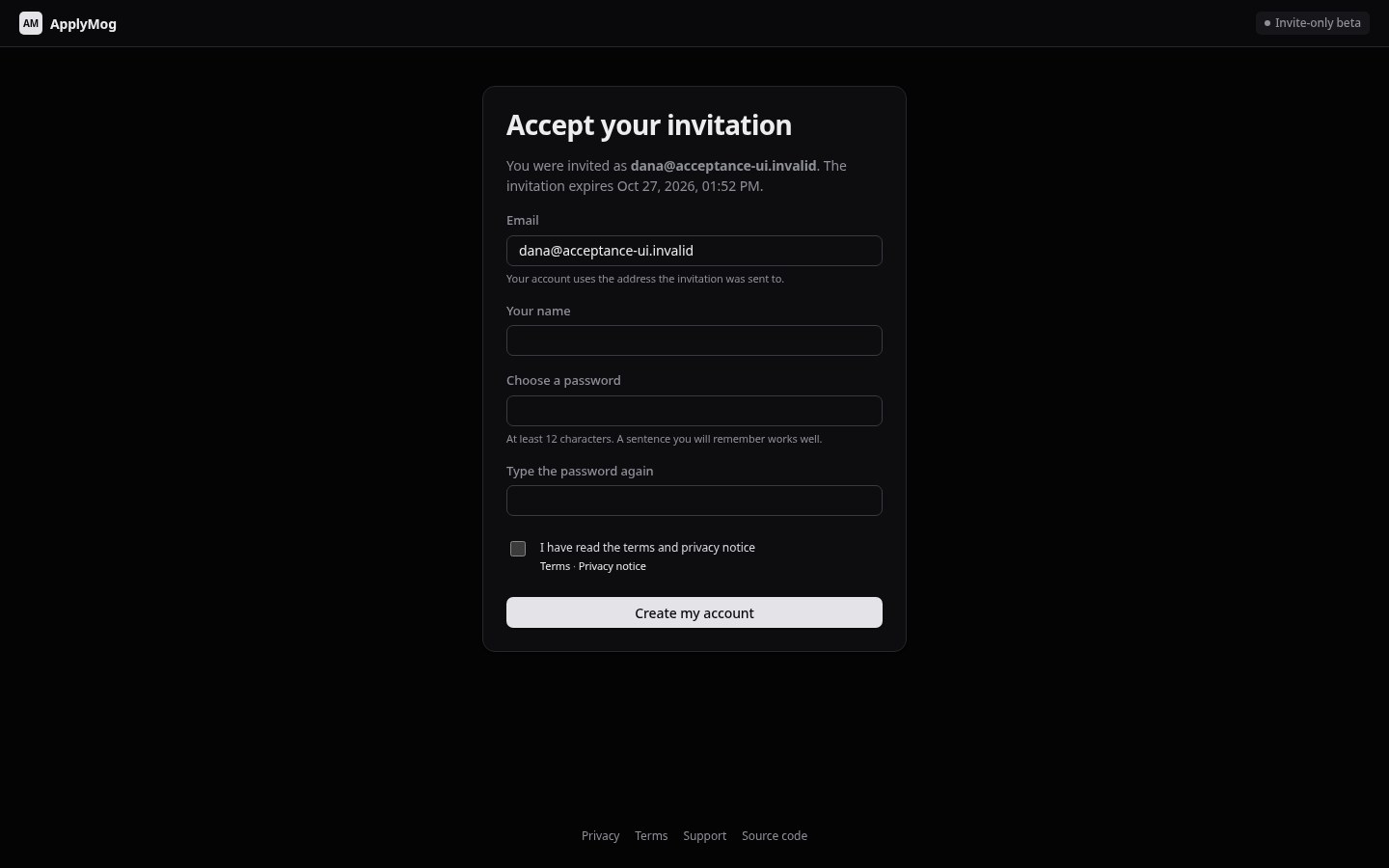
Accept your invitation
Open the link you were sent, choose a password and accept the terms. The link works once, for the address it was sent to.
- Signing in later uses that address.
- Forgot your password? Ask for a reset link on the sign-in page, or ask the person who invited you for one.
-
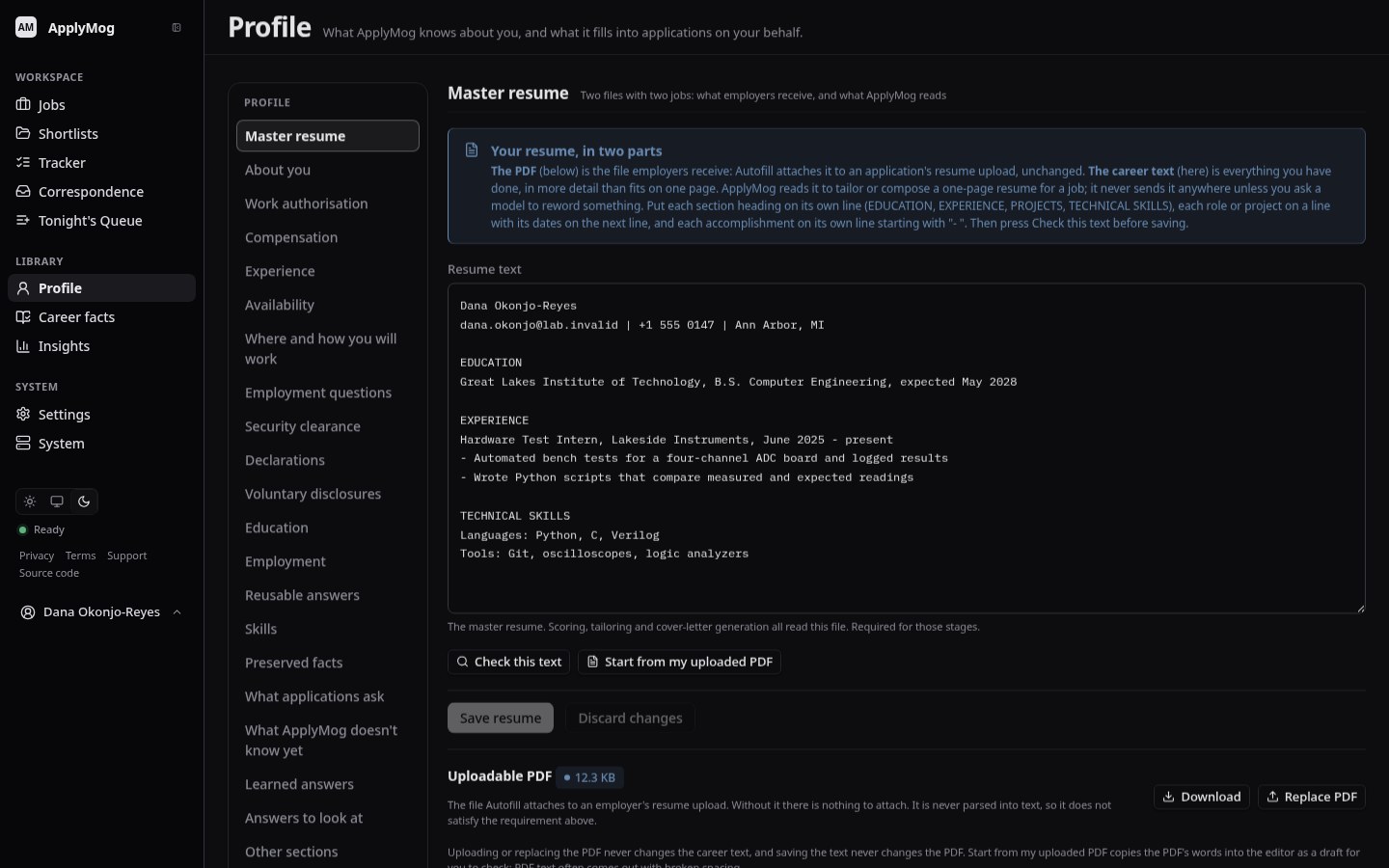
Add your resume and profile
Upload the resume PDF employers should receive, paste its text, and check the details ApplyMog uses to answer forms: your name and contact details, where you are, and whether you are authorised to work.
- Everything Autofill writes comes from here.
- Fields you leave empty stay empty on forms, and are pointed out to you.
-
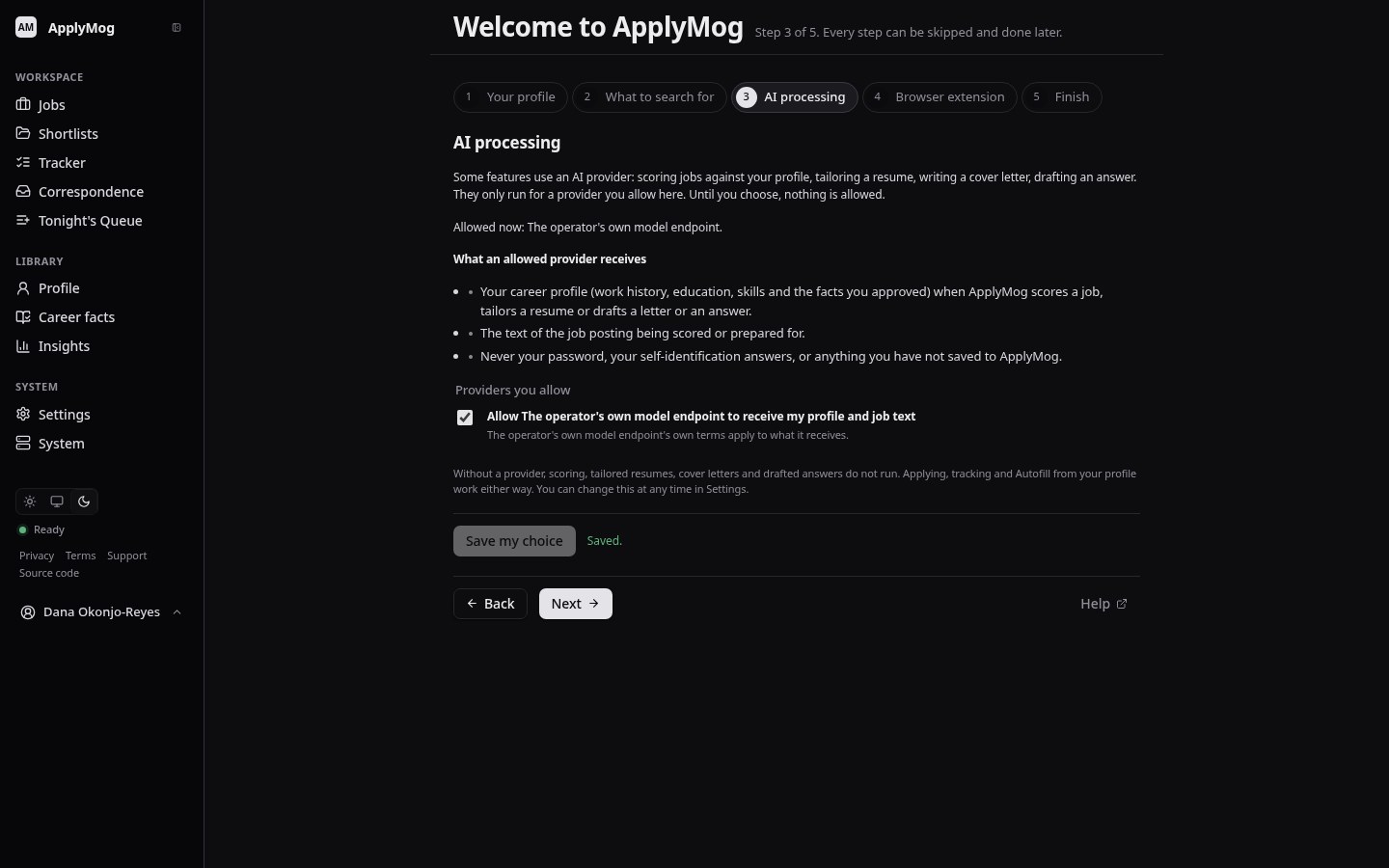
Choose AI processing, or none
Tailored resumes, cover letters, job scoring and drafted answers use an AI provider. Each provider is listed by name, and none is allowed until you tick it. Where the person running the service has not turned AI on, this step says so and there is nothing to choose.
- Tracking and Autofill work with no AI at all.
- You can change this under Settings at any time.
-
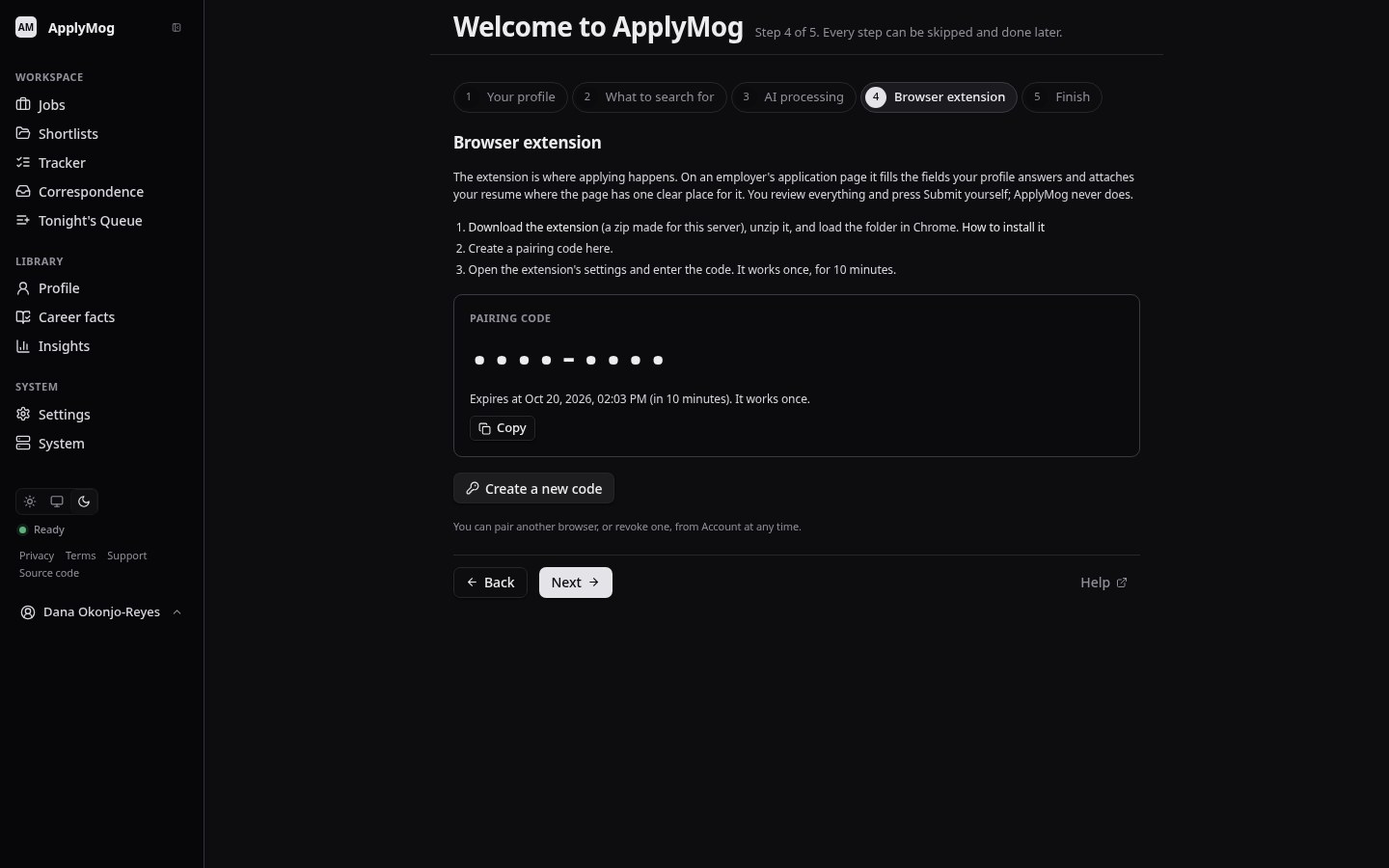
Install and pair the extension
Download the extension from this site, load it in Chrome, then pair it with a one-time code from your account. The code works once, for ten minutes.
- You can see and revoke every paired browser.
- Step-by-step installation
-
Save the job, then Autofill
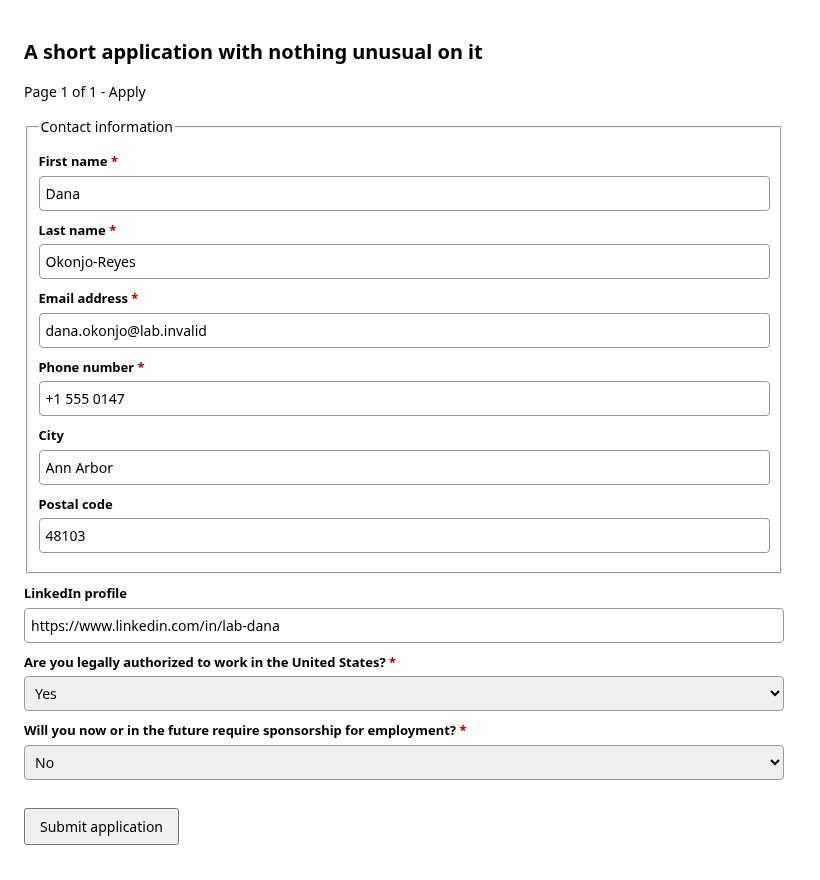
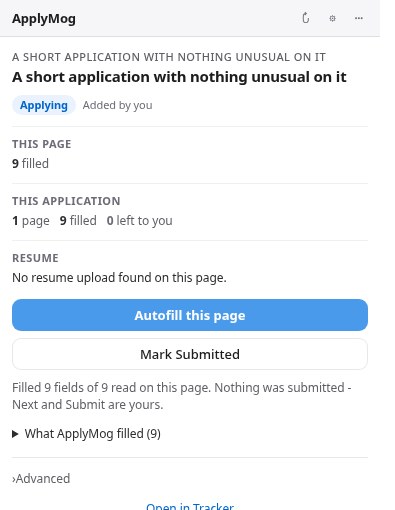
On an application page, press Save to Jobs, then Autofill this page. Review what was filled, and answer what was left, which is highlighted with a reason.
- Review remaining walks you to each field still open.
- Nothing is pressed on the employer's page.
-
Submit it yourself, then say so
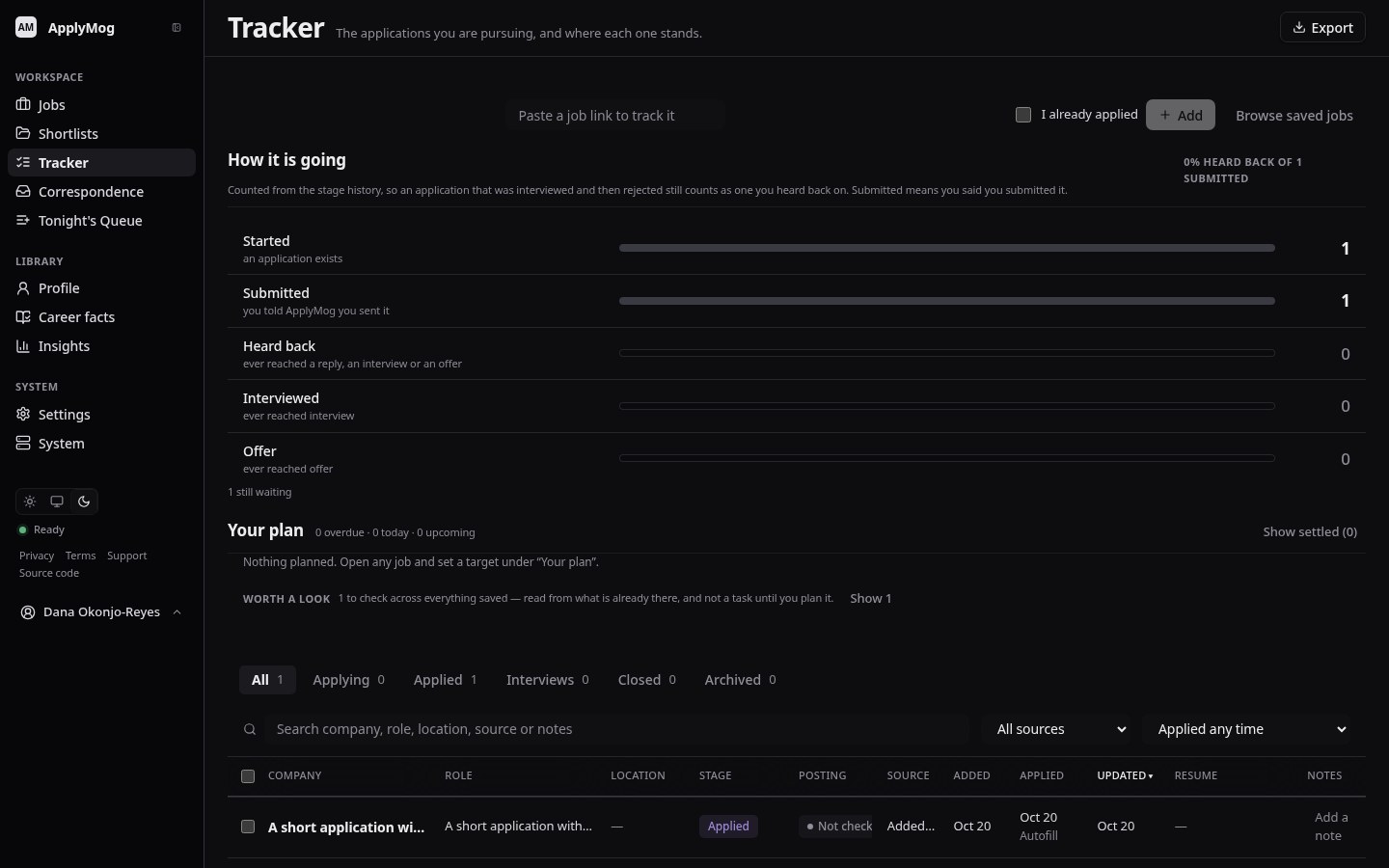
Press the employer's Submit. Then press Mark Submitted in the extension: that is your statement, and the tracker moves the application to Applied.
- Pressing it twice records it once.
- What was on the form is kept with the job.
ApplyMog is invite-only for now.
A small beta, run by the person who invites you. There is no public sign-up and no waiting list on this site.
You have an invitation
Open the link you were sent. It works once, for your address.
I have an invitationNot in this previewYou have an account
Sign in with the address your invitation was sent to.
Sign inNot in this previewYou would like one
Ask the person running this beta. Invitations are given out by hand.